
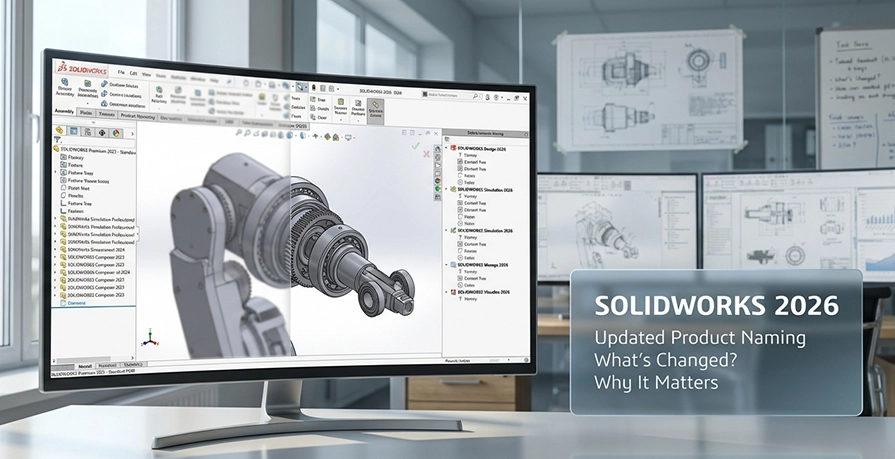
As SOLIDWORKS has expanded over the years, the portfolio has become broader and more specialised.
Design, simulation, manufacturing, electrical, and data management tools now sit alongside cloud-connected services and role-based offerings.
While this expansion brings flexibility, it also means product names need to do more than they once did.
For 2026, SOLIDWORKS has introduced a set of product name changes intended to make the portfolio easier to interpret, particularly when comparing packages, planning upgrades, or reviewing licences across teams.
These updates are about clarity and structure, not about changing how the software behaves.
From a Cadmes perspective, this update helps customers understand what they are buying, how products relate to one another, and how SOLIDWORKS fits into a wider engineering workflow.
1. The underlying reason for the 2026 name changes
When product portfolios evolve organically over time, naming conventions can lag behind real-world usage.
SOLIDWORKS is no exception. As desktop tools began integrating more closely with cloud services and platform roles, some product names became less descriptive than they needed to be.
The 2026 update addresses this by refining how products are labelled.
Names now more clearly indicate function, scope, and position within the SOLIDWORKS ecosystem.
This is particularly useful for organisations that manage multiple licences, work across disciplines, or are planning phased adoption of additional SOLIDWORKS tools.
2. A clearer identity for core CAD: SOLIDWORKS Design
The most visible outcome of the 2026 update is the introduction of SOLIDWORKS Design as the naming standard for the core CAD packages.
This change makes it immediately clear which products are focused on mechanical design and 3D CAD, without altering the software itself.
| Previous Name | New Name |
| SOLIDWORKS Standard with Cloud Services | SOLIDWORKS Design Standard with Cloud Services |
| SOLIDWORKS Professional with Cloud Services | SOLIDWORKS Design Professional with Cloud Services |
| SOLIDWORKS Premium with Cloud Services | SOLIDWORKS Design Premium with Cloud Services |
From a user’s point of view, nothing changes inside the software. The SOLIDWORKS interface, modelling tools, and workflows remain exactly the same. The difference is simply that the product name now reflects its role more clearly.
3. Stability across the wider SOLIDWORKS toolset
While the CAD packages receive a clearer design-focused label, much of the SOLIDWORKS portfolio remains unchanged.
This is deliberate. Many tools already had names that clearly communicated their purpose and position within the ecosystem.
3.1. SOLIDWORKS areas that retain their existing names
Electrical and drafting
- SOLIDWORKS Electrical
- DraftSight roles
Simulation and motion
- SOLIDWORKS Simulation Standard
- SOLIDWORKS Simulation Professional
- SOLIDWORKS Simulation Premium
- SOLIDWORKS Flow Simulation
- SOLIDWORKS Motion
Data management and governance
- SOLIDWORKS PDM Professional
- SOLIDWORKS Manage
Manufacturing and inspection
- SOLIDWORKS CAM
- SOLIDWORKS CAM Professional
- SOLIDWORKS Inspection
4. How platform and role names fit into the 2026 structure
As more customers combine desktop SOLIDWORKS with cloud-connected workflows, consistency between desktop and platform naming becomes increasingly important.
The 2026 update improves this alignment.
Design-related value offers
| Previous Name | New Name |
| 3DEXPERIENCE SOLIDWORKS Standard | SOLIDWORKS Design Standard |
| 3DEXPERIENCE SOLIDWORKS Professional | SOLIDWORKS Design Professional |
| 3DEXPERIENCE SOLIDWORKS Premium | SOLIDWORKS Design Premium |
5. Role naming updates across simulation, manufacturing, and governance
Several role-based offerings have also been renamed to better reflect their function within the SOLIDWORKS environment.
5.1. Electrical roles
| Previous Name | New Name |
| 3DEXPERIENCE SOLIDWORKS Electrical 3D | SOLIDWORKS Electrical 3D |
| 3DEXPERIENCE Electrical Schematic Design | SOLIDWORKS Electrical Schematic Professional |
5.2. Simulation roles
| Previous Name | New Name |
| Simulation Designer | SOLIDWORKS Simulation Designer |
| Simulation Engineer | SOLIDWORKS Simulation Engineer |
| Simulation Analyst | SOLIDWORKS Simulation Analyst |
| Simulation Multiphysics | SOLIDWORKS Simulation Multiphysics |
5.3. Governance and manufacturing roles
| Previous Name | New Name |
| Cloud PLM Collab Pack | SOLIDWORKS PLM Collab Pack |
| Cloud PLM Standard | SOLIDWORKS PLM Standard |
| Cloud PLM Professional | SOLIDWORKS PLM Professional |
| Milling and Turning Premium | SOLIDWORKS Milling + Turning Premium |
These updates are primarily about naming clarity, particularly when comparing roles across design, simulation, manufacturing, and data management.
6. What does this mean for you?
For most users, the 2026 SOLIDWORKS name changes are largely administrative.
You continue working with the same tools, using the same files and processes. The benefit shows up when comparing packages, reviewing licences, or planning future growth.
For organisations new to SOLIDWORKS, the revised naming makes it easier to understand what each product is intended for.
For established users, it simplifies internal conversations and reduces ambiguity when different teams engage with different parts of the SOLIDWORKS portfolio.
7. Conclusion
As an authorised SOLIDWORKS reseller, Cadmes supports customers through both technical and commercial decisions.
Naming updates like this are designed to make those decisions clearer, not more complex.
If you would like assistance understanding how the 2026 SOLIDWORKS naming structure applies to your environment, speak to the Cadmes team.
We’re here to help you make sense of the options with confidence.