

DraftSight is a professional CAD solution used for 2D drafting, DWG editing and technical drawing creation. It gives users the tools to create, revise and manage drawings for engineering, manufacturing, architecture, construction and general design documentation workflows.
DraftSight is suited to businesses that need a dedicated 2D CAD solution for working with DWG files. It can support teams that are creating new drawings, updating legacy files, managing technical documentation or looking for a practical alternative for professional 2D drafting requirements.
Highlights:
DraftSight helps businesses manage 2D drafting work with tools built for accuracy, compatibility and productivity. For teams that rely on DWG drawings, DraftSight provides a practical CAD environment for creating and maintaining technical documentation without unnecessary complexity.
DraftSight helps users create, edit and manage DWG drawings in a professional drafting environment. This is useful for businesses with existing DWG files, legacy drawings or teams that need to exchange technical drawings with customers, suppliers or internal departments.
Key points:
DraftSight gives users access to familiar 2D CAD tools for drawing, editing, annotating and managing technical documentation. This helps teams work more consistently when producing or updating drawings.
Key points:
Accurate drawings are important for manufacturing, engineering, construction and service-related workflows. DraftSight helps teams create clear technical documentation that supports design communication and downstream processes.
Key points:
DraftSight includes tools for professional 2D drafting, drawing editing, annotation and DWG management. These capabilities help users produce accurate technical drawings and maintain design documentation more effectively.
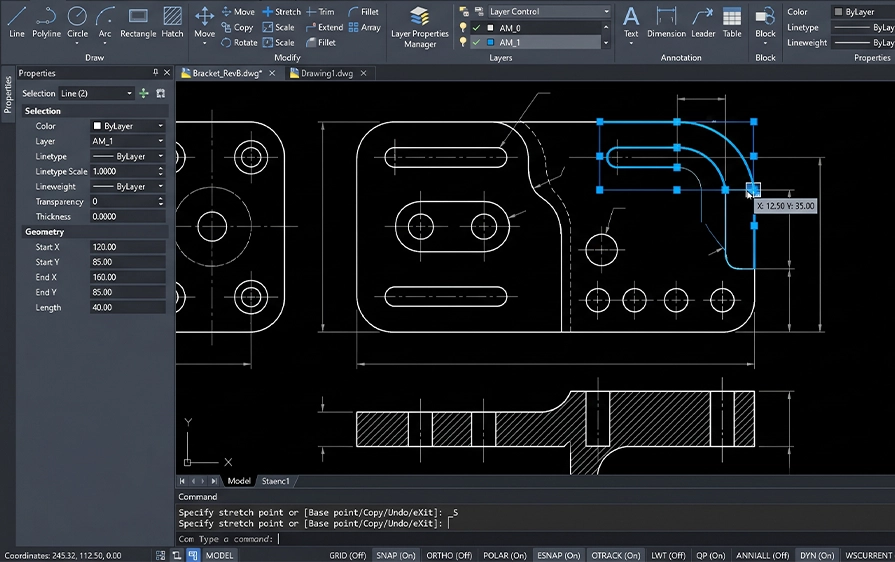
Create new DWG drawings or edit existing files using professional 2D CAD tools. DraftSight supports drafting teams that need to create, modify and manage drawing files as part of daily work.
Key points:
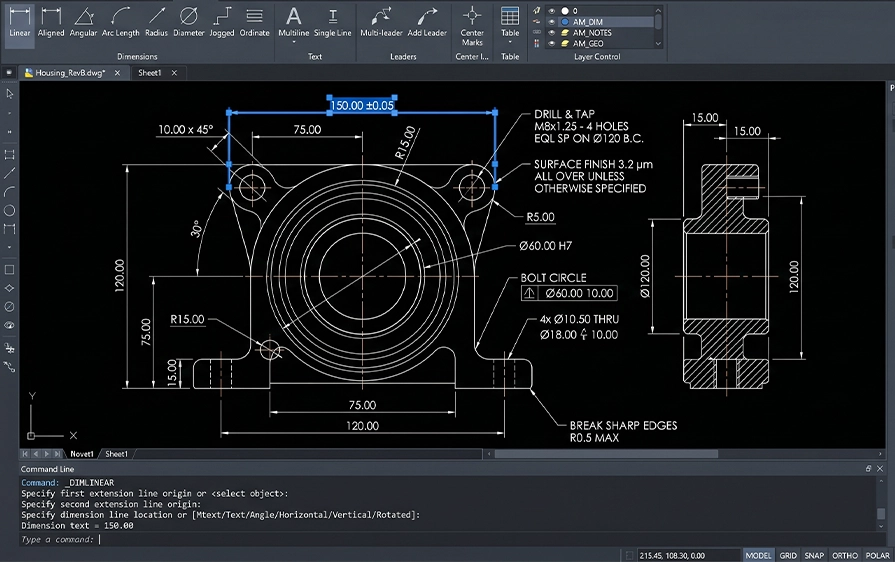
Add dimensions, notes, annotations and drawing details to communicate technical information clearly. This helps teams create drawings that support engineering, manufacturing and documentation requirements.
Key points:

Use layers, blocks and drafting standards to keep drawings organised and consistent. DraftSight supports more structured drawing management for teams working across multiple files, projects or users.
Key points:
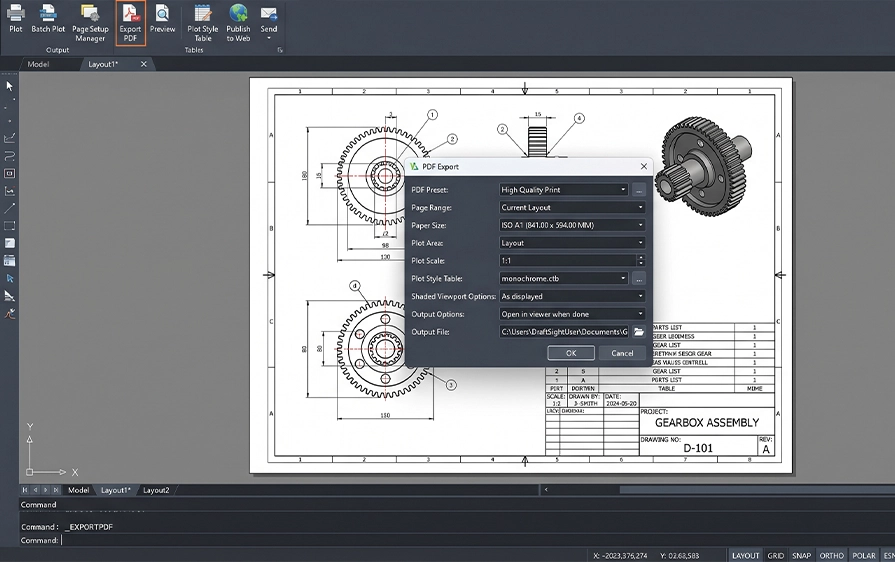
Prepare drawings for sharing, review and documentation by producing clear drawing outputs. DraftSight supports workflows where technical drawings need to be distributed to customers, suppliers, production teams or project stakeholders.
Key points:
DraftSight is useful for businesses that need to create, edit or manage 2D technical drawings. It supports teams working with DWG files across design, engineering, manufacturing, construction, maintenance and documentation workflows.
Create and update technical drawings for engineering design, production and documentation.
Support production teams with clear 2D drawings, part details and documentation outputs.
Open, edit and maintain existing DWG files used across previous projects or older documentation systems.
Create and revise layout drawings, site plans, construction details and technical documentation.
Work with DWG files shared between customers, suppliers, partners and internal teams.
2D Drafting and Drawings
All Professional Features including API and Productivity
Support
Deployment Wizard
* Network License (min 2)
2D Drafting and Drawings
All Professional Features including API and productivity
Support Deployment Wizard
2D Constraints
3D Modelling
*Network License (3 min)
DraftSight is a professional 2D CAD drafting and design software. It is mainly used to create, edit, and view DWG and DXF files for technical drawings, layouts, and documentation.
DraftSight is commonly used for 2D drafting tasks such as floor plans, mechanical drawings, electrical schematics, layouts, and technical documentation. It is widely used in engineering, manufacturing, construction, and design environments.
Yes. DraftSight is designed for users who work with DWG and DXF files and need a familiar 2D drafting experience. Many commands, workflows, and file formats are similar, making it easier for users to transition.
Yes. DraftSight can open, edit, and save DWG and DXF files. This makes it suitable for working with drawings shared between different teams, clients, and contractors.
Yes. DraftSight is focused on 2D drafting and design. It does not replace 3D CAD tools like SOLIDWORKS, but it works well alongside them for creating and managing 2D documentation.
Yes. DraftSight supports layers, blocks, dimension styles, line types, and standard drafting conventions. This helps teams keep drawings organised and consistent.
Yes. DraftSight is easy to learn, especially for users with previous 2D CAD experience. The interface and commands are familiar, which reduces the learning curve.
Yes. DraftSight is often used alongside SOLIDWORKS for 2D drafting and editing tasks. This is useful when teams need lightweight access to drawings without opening full 3D models.
Yes. Cadmes offers DraftSight training to help users work efficiently with 2D drawings. Training focuses on drafting tools, workflows, best practices, and working with DWG files.
Yes. Cadmes provides local technical support for DraftSight, assisting users with setup, usage questions, and general drafting workflows.
Yes. Cadmes assists customers in selecting the appropriate DraftSight licence based on their drafting needs, team size, and usage requirements.
Buying DraftSight through Cadmes gives you access to local expertise, training, and ongoing support. This helps ensure DraftSight is used effectively for everyday drafting and documentation work.
DraftSight gives teams the tools to create, edit and manage DWG drawings with greater confidence. Cadmes can help you choose the right licence, request pricing and implement DraftSight in a way that supports your drafting workflow.

