
South African manufacturers face a tough reality right now. Costs are rising. Customers expect faster delivery. And mistakes on the production floor are expensive. For sheet metal fabrication shops and engineering companies, these pressures show up every day in the design and manufacturing process.
At Cadmes South Africa, we work with businesses of all sizes. From small custom fabrication shops to large industrial manufacturers, most share the same challenge: getting designs into production faster, with fewer errors and less back-and-forth between the drawing office and the shop floor. SOLIDWORKS Sheet Metal is the tool most of them turn to.
What Is SOLIDWORKS Sheet Metal?
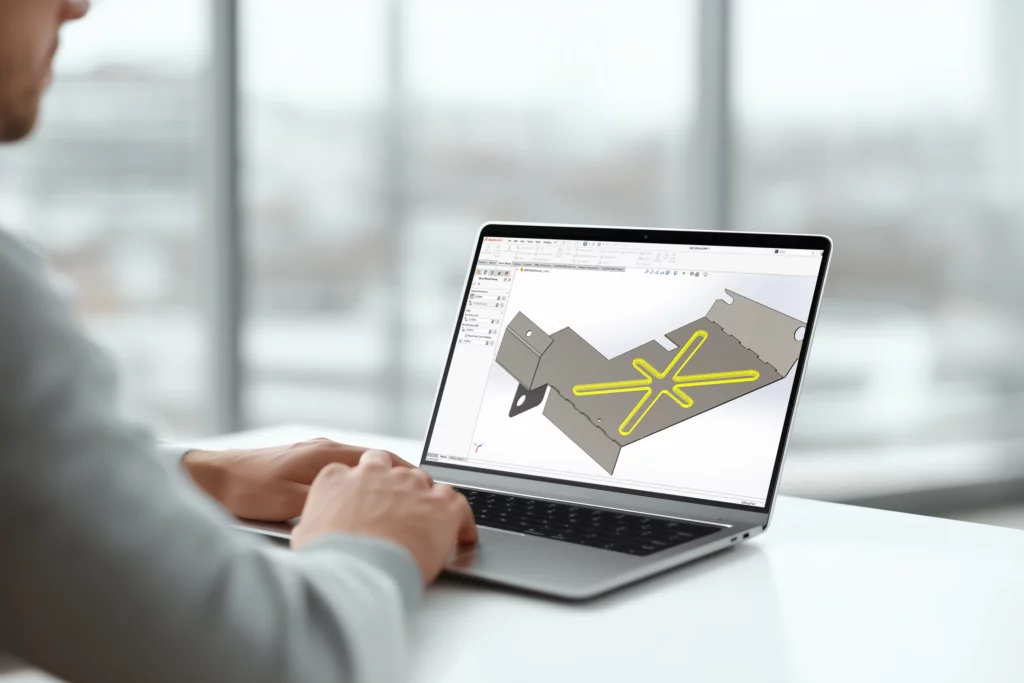
SOLIDWORKS Sheet Metal is a module inside SOLIDWORKS. It is built for designing parts made from flat metal sheets.
The software automatically handles key manufacturing requirements: material thickness, bend radii, K-factors, corner reliefs, and bend allowances. You do not calculate these by hand. The software manages them as you build your model.
Its most-used feature is flat pattern generation. You design a 3D folded part, and the software instantly produces a 2D flat version. That flat pattern goes straight to a laser cutter, CNC punch, plasma cutter, or press brake.
Many companies we work with still use manual drawing methods. Others have design offices and production floors that do not share the same files or information. SOLIDWORKS Sheet Metal solves both problems.
How Sheet Metal Manufacturing Works
Sheet metal parts start as flat material. They are cut, bent, punched, and formed into finished components. This process runs across many industries, including mining, agriculture, food processing, HVAC, automotive, and general engineering.
In SOLIDWORKS, a sheet metal part has three defining traits:
• Thin-walled geometry
• Bends at corners and edges
• The ability to flatten into a 2D profile
The tools are not limited to metal only. Some customers use them for materials that behave similarly during forming, such as cardboard, plastic sheets, or fabric-based products. Common applications include electrical enclosures, brackets, conveyor systems, ducting, machine guards, cabinets, and custom industrial equipment.
Key Features of SOLIDWORKS Sheet Metal
Base Flange/Tab
Every sheet metal design starts somewhere. The Base Flange or Tab feature is that starting point. It takes a 2D sketch and turns it into a 3D sheet metal body with a consistent material thickness applied automatically.
This is useful for teams moving from 2D drafting to 3D modelling. It is a familiar entry point that does not require learning an entirely new process.
Edge Flange
The Edge Flange tool adds new walls or flanges to any existing edge of your model. You set the angle, length, bend position, and manufacturing clearances. It is commonly used when designing electrical cabinets, protective covers, brackets, and machine frames.
Flatten and Unfold
This feature instantly flattens a 3D model into a 2D flat pattern. Engineering and workshop teams use it to check that a part can be manufactured, verify bend positions, create accurate cutting files, and export DXF or DWG files for CNC machines.
Customers tell us this one feature saves hours of manual calculation and redrawing on every job.
Convert to Sheet Metal
Some designs start as standard solid models, not sheet metal ones. The Convert to Sheet Metal tool transforms solid bodies or thin-walled parts into sheet metal designs, complete with bends, rip edges, and a working flat pattern. It is useful for redesign projects, imported geometry, and reverse engineering work.
Forming Tools
Forming tools create stamped features directly on a part, including louvers, dimples, embosses, lances, and vent patterns. These are important in industries where airflow, structural strength, or surface detail is part of the product design, such as HVAC manufacturing, electrical panel design, and industrial enclosure production.
How SOLIDWORKS Sheet Metal Helps South African Manufacturers
Faster Flat Pattern Generation
Manual bend allowance calculations take time and introduce errors. SOLIDWORKS Sheet Metal generates flat patterns automatically in seconds. This speeds up CNC programming and gets cutting files to the workshop faster.
Easier Revision Management
In custom fabrication, design changes are part of the job. When a revision comes in, the software updates flat patterns, bend details, and manufacturing drawings automatically. You do not need to start from scratch every time a customer requests a change.
Better Communication Between Teams
When the drawing office and the workshop use different documents, mistakes happen. SOLIDWORKS Sheet Metal gives both teams one shared 3D model and matching drawings, which reduces miscommunication and keeps production on track.
Improved Accuracy for Cutting and Bending
Small errors in sheet metal work create bigger problems downstream: wasted material, incorrect bends, and parts that do not fit together. Accurate manufacturing files from SOLIDWORKS Sheet Metal improve consistency and reduce costly rework.
Fewer Production Errors
The software manages bend calculations, material thickness, and reliefs automatically. This removes a common source of manual error. Manufacturers who have adopted SOLIDWORKS Sheet Metal report fewer production mistakes as a result.
Faster Turnaround Times
Moving from design to production faster means companies can deliver sooner. In a market where customers compare lead times, that speed is a real advantage.
Simpler Drawing and DXF Creation
Manufacturing drawings and DXF files for CNC laser cutting are generated directly from the flat pattern. This reduces preparation time in the workshop and keeps jobs moving.
Why Choose Cadmes South Africa?
Cadmes South Africa supplies SOLIDWORKS to manufacturers and engineering companies across the country. Alongside the software, we provide everything needed to get up and running:
• SOLIDWORKS software solutions
• Training
• Implementation assistance
• Workflow optimisation
• Manufacturing consulting
Whether you produce simple brackets or complex industrial assemblies, we help you use SOLIDWORKS Sheet Metal effectively from day one.
Final Thoughts
SOLIDWORKS Sheet Metal gives fabrication businesses the tools to design faster, manufacture more accurately, and work better as a team. Companies across South Africa are using it to cut down on errors, shorten production times, and handle design revisions without starting over.
For businesses looking to improve how they design and produce sheet metal products, SOLIDWORKS Sheet Metal is a practical place to start.