
How much time does your engineering team lose each week to disconnected tools, misplaced files, or rework caused by outdated design data? For many South African businesses, the answer is more than they realise. 3D CAD design sits at the centre of modern product development, but most teams only scratch the surface of what their software can do.
The global 3D CAD software market reached approximately R202 billion in 2025 and continues to grow as more businesses invest in digital design tools. That growth isn’t just about more licences. It reflects a shift in how engineering teams work: less isolation, more integration, and stronger connections between design, analysis, and production.
This post breaks down what 3D CAD design looks like in a well-run engineering environment. You’ll see where the real productivity gains come from and how to build a workflow that supports your team as it grows.
What Is 3D CAD Design and Why Does It Matter for Engineering Teams?
3D CAD design is the process of creating digital solid models, assemblies, and engineering drawings using computer-aided design software. It’s the foundation for everything that follows in product development, from simulation and testing through to manufacturing documentation and production.
Unlike 2D drafting, which produces flat technical drawings, 3D CAD lets engineers build realistic digital representations of parts and products. These models carry geometry, material data, dimensions, and tolerances that downstream teams rely on. When a 3D model changes, associated drawings and documentation can update automatically. That connection between the model and its outputs is what makes 3D CAD so valuable.
The shift toward 3D is well underway. According to market research, 68% of design professionals now prefer 3D CAD tools, and 42% of small to mid-size businesses are upgrading from 2D to 3D for better design accuracy. The 3D CAD segment holds 56.3% of the broader CAD software market, with mechanical engineering as the largest application area.
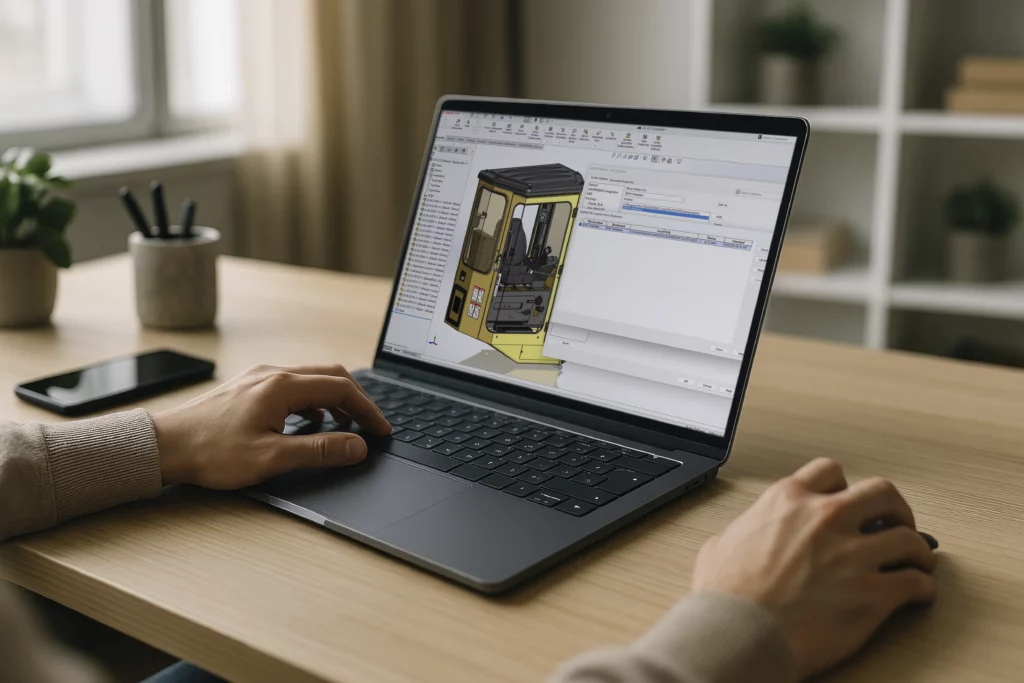
For engineering teams, 3D CAD isn’t just about creating shapes on a screen. It’s the starting point for simulation, manufacturing preparation, and technical communication. Tools like SOLIDWORKS Design provide an end-to-end environment for parts, assemblies, and production-ready drawings, all within a single workspace.
How has cloud integrated with 3D CAD?
The software your team uses today has access more than it did three years ago. With platform integration, cloud-enabled environments, and AI-driven features
Cloud connectivity is about adding services on top off your CAD software, so teams can share designs, manage data, and collaborate without being in the same room.
Dassault Systèmes’ release of SOLIDWORKS 2026 illustrates this evolution clearly. The update introduced generative AI for drawing creation and detailing, an AI-powered companion called Aura that extracts knowledge from community content and documentation, and selective loading for large assemblies. These features are built on 30 years of R&D and connected to the 3DEXPERIENCE platform, giving millions of user’s accesses to cloud collaboration, data management, and AI tools alongside their existing desktop workflow.
The result is a design environment that adapts to how modern teams operate: distributed, deadline-driven, and increasingly dependent on shared data.
The Connected Engineering Workflow
The biggest productivity gains don’t come from faster modelling alone. They come from connecting design to everything around it: simulation, electrical design, data management, and manufacturing preparation.
When these tools exist in separate systems, teams waste time translating files, chasing the latest revision, and fixing errors that could have been caught earlier. A connected workflow eliminates much of that friction. Engineers design a part, run a stress analysis on the same model, route electrical wiring through the 3D assembly, and generate manufacturing documentation, all without leaving the platform.
SOLIDWORKS supports this approach by offering a range of integrated tools. SOLIDWORKS Simulation lets teams test designs against real-world conditions directly from the CAD model. Electrical design workflows connect schematics to 3D cabinet layouts and routed cabling. SOLIDWORKS PDM brings file control and revision management into the same environment.
This integration matters because engineering teams don’t work in isolation. Design decisions affect manufacturing. Simulation results reshape geometry. Electrical layouts influence enclosure dimensions. When these disciplines share the same data, fewer things fall through the cracks.
For businesses that currently treat CAD, simulation, and data management as separate purchases, thinking about them as parts of one workflow can change the way the team operates.
Does Simulation Really Reduce Prototyping Costs?
Yes. Teams that run virtual tests early in the design process build fewer physical prototypes and catch costly issues before they reach manufacturing. The cost savings are real and well-documented.
A Dassault Systèmes-sponsored study conducted by engineering.com surveyed 268 engineers about their simulation and prototyping practices. The findings showed that 80% of respondents still use one or more physical prototypes, and 59% rely on physical testing as their primary validation method. That’s a lot of time and material being spent on something simulation could partially replace.
The same study found that 43% of engineers believe simulating early in the design phase is the single best way to improve design cycles. The logic is simple: catching a problem in software costs almost nothing compared to finding it after a prototype has been built, tested, and scrapped.
Real-world results support this. When Chinese EV manufacturer Neta adopted integrated modelling and simulation on the 3DEXPERIENCE platform, they reduced physical testing by 40% per project and saved over R4.89 million in cost. They also cut prototype-stage issues by up to 20%, saving nearly R24.45 million in R&D costs.
For South African engineering teams, the takeaway is clear. Simulation doesn’t replace physical testing entirely, but it dramatically reduces how much of it you need. That translates directly into shorter development cycles and lower costs.
Smarter Data Management for Engineering Teams
As engineering teams grow, so does the volume of CAD files, drawings, revisions, and supporting documents they produce. Without a structured system to manage that data, things start to break down.
Research from McKinsey Global Institute found that knowledge workers spend roughly 20% of their workweek searching for and gathering information. That’s nearly one full working day each week. For engineers working with complex assemblies and multi-revision projects, this problem is even worse when files live in shared folders with inconsistent naming and no version control.
Product data management (PDM) software solves this by creating a centralised, searchable repository for all design data. Engineers check files in and out, track revisions automatically, and follow structured approval workflows. Everyone works from the correct version, and nothing gets accidentally overwritten or lost.
SOLIDWORKS PDM integrates directly into the SOLIDWORKS environment and Windows Explorer, making it familiar from day one. Cadmes offers dedicated SOLIDWORKS PDM implementation and training to help teams set up vaults, permissions, and workflows correctly.
Cloud-based PDM takes this further. According to Dassault Systèmes, cloud-based systems systematically retain knowledge even when experienced employees leave or processes change. All critical information stays accessible to the team. For businesses scaling up or working across multiple sites, that continuity is essential.
Building a Scalable Engineering Toolset
Not every engineering team needs every tool on day one. The smartest approach is to start with what you need now and add capability as your workflow demands it.
Most teams begin with core 3D CAD for parts, assemblies, and drawings. That’s the foundation. From there, the path depends on what the business actually does. Teams that need to validate designs before prototyping add simulation. Teams managing large volumes of design data bring in PDM. Businesses with electromechanical products connect electrical design to their 3D models.
SOLIDWORKS supports this kind of modular growth. The full SOLIDWORKS product range covers design, simulation, electrical, CAM, PDM, MBD, visualisation, inspection, and drafting. Each tool integrates with the others, so adding a new capability doesn’t mean starting over or migrating data.
This scalability is especially important for South African businesses operating in competitive markets. Investing in software that can grow alongside the team protects the initial investment and avoids the disruption of switching platforms later.
Cadmes helps businesses compare options based on real workflow needs, not assumptions. Whether you need a single design seat or a connected setup for a multi-discipline team, the right configuration depends on how your team works, not just how many engineers you have.
What Should South African Engineering Teams Consider When Choosing 3D CAD Software?
Teams should evaluate 3D CAD software based on workflow fit, local support access, training availability, and how well the platform scales as the business grows. Price matters, but it shouldn’t be the only factor.
Start with the work your team actually does. If you design mechanical parts and assemblies, core 3D CAD is the priority. If you also run stress analyses, need to manage revisions across a team, or prepare models for manufacturing, you’ll want a platform that integrates those tools rather than bolting on separate systems.
Local support makes a meaningful difference. When something goes wrong, or when your team needs help configuring a new tool, having access to a knowledgeable local partner reduces downtime and frustration. Cadmes provides local technical support, SOLIDWORKS training courses, and implementation assistance from a Centurion-based team that understands South African engineering environments.
Training is equally important. Even the best software underperforms if the team doesn’t know how to use it properly. Structured training builds confidence, reduces errors, and helps engineers get productive faster. Cadmes offers classroom and remote training across design, simulation, PDM, electrical, and CAM.
Finally, think about where your business is heading. A platform that covers design today but can’t support simulation, data management, or cloud collaboration tomorrow will become a bottleneck. Choosing a tool with room to grow gives your team flexibility without the cost of migrating later.
Getting Started with the Right 3D CAD Workflow
3D CAD design is the backbone of modern engineering, but it delivers the most value when it’s part of a connected workflow. Simulation, data management, electrical design, and cloud collaboration all build on the 3D model. The more connected your tools are, the less time your team spends on rework, file hunting, and miscommunication.
Here’s what to take away:
- 3D CAD is the starting point, not the whole picture. Connected tools for simulation, PDM, and collaboration are where the real gains happen.
- Simulation reduces prototyping costs and catches problems early. Even basic virtual testing can save significant time and money.
- Structured data management pays for itself. If your team wastes time searching for files or working from outdated revisions, PDM is the fix.
Cadmes helps South African engineering and manufacturing businesses choose, implement, and get the most from SOLIDWORKS. Whether you’re evaluating 3D CAD for the first time or looking to expand an existing setup, contact Cadmes to discuss which solution fits your team’s workflow.
Disclaimer: All monetary values in this article have been converted to South African Rand (ZAR) based on exchange rates at the time of publication. Rates used: USD/ZAR R16.22, EUR/ZAR R18.81, GBP/ZAR R21.75. Actual values may differ depending on prevailing exchange rates.