
How much time does your team spend looking for the right file? According to a 2026 enterprise search survey, workers lose over 166 hours per year just searching for information they know exists somewhere. That’s more than a full month of productive work, gone.
For engineering and design teams, the problem is even sharper. Your files aren’t just documents. They’re CAD models, assemblies, drawings, and BOMs that depend on each other. One wrong version can cascade into rework across an entire project. If your team manages design data on shared drives or local folders, you’ve likely felt this pain already.
PDM (Product Data Management) solves this problem by giving your team a controlled, searchable system for every design file your business creates. This post explains what PDM is, how it works, when your team actually needs it, and how to get started.
What Is PDM and How Does It Work?
PDM is a system that stores all your product-related files (CAD models, drawings, BOMs, specifications, and documents) in a secure, centralised vault. It tracks every version and revision, controls who can access or change files, and automates review and approval workflows. Think of it as a single source of truth for your entire design team.
A well-implemented PDM system centralises all product-related data within a highly secure data vault. This protects your intellectual property through access controls and helps cross-functional teams collaborate from the most current data.
At its core, PDM works through a check-in/check-out process. When an engineer opens a file from the vault, the system locks it so no one else can overwrite their changes. Once they’re done, they check the file back in, and the system records who changed what and when. Every previous version stays accessible.
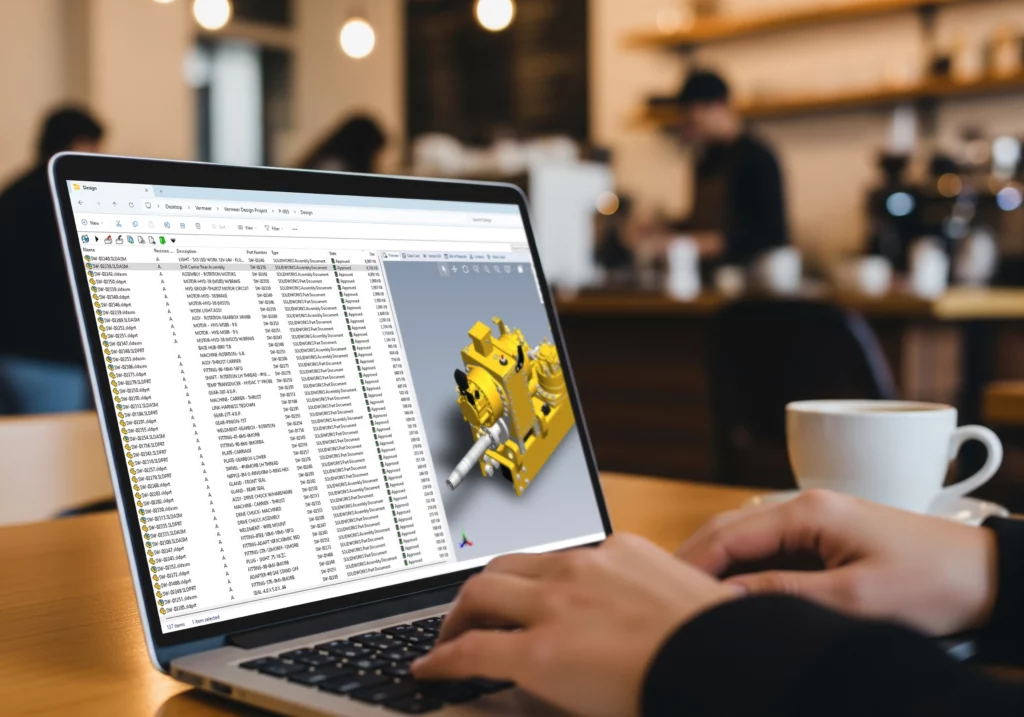
PDM also stores metadata alongside your files. This means you can search by part number, description, material, project name, or custom properties rather than trying to remember file names or folder paths. For teams using SOLIDWORKS Design tools, PDM integrates directly into the CAD environment, so engineers work within the tools they already know.
Five Signs Your Design Team Needs PDM
Not every team needs PDM from day one. But there are clear warning signs that your current file management approach is costing you time and money. Here are five of the most common.
1. Engineers overwrite each other’s files. If two people can open and save the same file at the same time, someone’s work will get lost. Shared drives don’t prevent this. PDM does, through its check-in/check-out system.
2. Your team wastes time searching for files. A 2022 CADENAS survey of over 100,000 engineers found that nearly half spent at least an hour every day just searching for parts. PDM replaces guesswork with structured, metadata-driven search.
3. No one trusts which version is current. If your team relies on file names like “Assembly_v3_FINAL_REVISED2.sldasm” to track versions, you don’t have version control. You have a naming convention that everyone interprets differently. PDM tracks versions automatically.
4. You rely on shared drives or folder structures. Shared network drives work fine for small teams with simple projects. But as your team grows and projects multiply, folder-based systems break down. Files get mislaid, permissions become inconsistent, and there’s no audit trail.
5. You have no formal review or approval process. If design approvals happen over email or in person with no record, it’s difficult to prove who signed off on what. PDM workflows track every approval step and keep a complete history.
If two or more of these apply to your team, it’s worth exploring how PDM could improve your daily workflow.
What Are the Main Benefits of Using PDM?
PDM helps engineering teams work faster, make fewer mistakes, and collaborate more confidently by centralising design data, automating version control, and securing access to files. The benefits go well beyond organising folders.
Faster file retrieval. One real-world example from the SOLIDWORKS Blog shows a company with 25 designers could save over R5.19 million annually in search productivity improvements alone by implementing SOLIDWORKS PDM. That same company’s total potential annual savings came to approximately R11.18 million when factoring in avoided rework and better BOM management.*
Version control you can trust. PDM removes the guesswork. Every save creates a traceable version. Every revision is logged with who changed it, when, and why. You can roll back to any previous version instantly.
Secure, role-based access. Not everyone needs access to every file. PDM lets administrators control who can view, edit, approve, or release design data. This protects sensitive information while still giving team members access to what they need.
Automated workflows. Instead of chasing approvals by email, PDM routes files through defined review and release stages automatically. This speeds up the process and keeps a full audit trail.
Stronger collaboration. When everyone works from the same vault, there’s no confusion about which file is current. Teams across departments and locations can access the latest data without duplicating files or sending attachments back and forth.
A study of over 2,500 manufacturers found that top-performing companies are 30% more likely to use PDM or PLM and spend 25% less time on non-productive data management tasks.
How Does SOLIDWORKS PDM Support Engineering Teams?
SOLIDWORKS PDM integrates directly into Windows Explorer and the SOLIDWORKS CAD environment. Engineers check files in and out, track revisions, search for parts, and manage approvals without leaving the tools they use every day.
This tight integration matters. It means there’s no separate application to learn and no extra steps between designing and managing files. The SOLIDWORKS PDM product page highlights that users can store CAD models, drawings, documents, and even emails in an indexed central repository that tracks versions and automates workflows.
SOLIDWORKS PDM comes in two versions. PDM Standard is included with SOLIDWORKS Professional and Premium licences and works well for small teams with straightforward workflows. PDM Professional is a separate purchase that adds custom workflows, automated tasks, web-based access, API integration, and database replication for multi-site teams.
Cadmes offers the full range of SOLIDWORKS PDM features and can help your team choose between Standard and Professional based on your size, workflow complexity, and growth plans. Cadmes also provides dedicated PDM user training and PDM administrator training to help your team get up and running confidently.
PDM vs PLM: What’s the Difference?
PDM manages engineering files and design data during the development phase. PLM (Product Lifecycle Management) covers the full product lifecycle, from initial concept through manufacturing, service, and end of life. PDM is a subset of PLM, and most teams start with PDM before considering a broader PLM strategy.
According to Dassault Systemes, PDM focuses on managing product data through the design and engineering phases, while PLM expands on PDM by governing all product information across all lifecycle stages, including data, processes, and collaboration.
The practical question is: does your team’s data management challenge sit mainly within engineering, or does it span multiple departments? If your pain points are about file versions, search, and approvals within the design team, PDM is likely the right fit. If manufacturing, procurement, quality, and service teams all need live access to product data, that’s when PLM becomes relevant.
For most small and medium-sized engineering teams, PDM provides 80 to 90% of what they actually need. The official SOLIDWORKS guidance on PDM vs PLM also notes that cloud-based solutions like the 3DEXPERIENCE platform can unify departmental processes when a team is ready to grow beyond PDM.
The key takeaway: don’t skip PDM and jump straight to PLM. A solid PDM foundation makes any future PLM adoption smoother and more effective.
Getting Started with PDM
Adopting PDM doesn’t need to be complicated. A practical, phased approach helps your team see results quickly without disrupting daily work.
Audit your current file management. Before choosing a system, understand where your files live today, how your team finds them, and where the pain points are. Are files scattered across local drives, shared folders, and email? Do you have naming conventions that people actually follow?
Define your workflows. Think about how files move through your design process. Who creates them? Who reviews them? Who approves them for release? Mapping this out before you set up PDM ensures the system matches how your team actually works.
Choose the right version. If you already use SOLIDWORKS Professional or Premium, you may already have access to PDM Standard. For teams that need advanced workflows, automation, or multi-site access, PDM Professional is the better fit. Cadmes can help you compare options based on your SOLIDWORKS product range.
Invest in training. PDM is designed to be intuitive, especially for SOLIDWORKS users. But structured training helps your team adopt the system faster and use it consistently. Cadmes offers dedicated SOLIDWORKS training courses for both PDM users and administrators.
Work with a local partner. Implementation goes more smoothly when you have expert support for vault setup, permissions, workflows, and user onboarding. Cadmes provides local technical support and SOLIDWORKS PDM implementation assistance to help your team start strong.
Take Control of Your Design Data
PDM solves a real, everyday problem for engineering teams. It puts your design data under control so your team can spend more time designing and less time searching, guessing, and fixing avoidable mistakes.
If your team is dealing with version confusion, lost files, or inefficient approvals, PDM is worth a serious look. SOLIDWORKS PDM fits naturally into the tools your team already uses, and Cadmes can help you evaluate, implement, and get trained on the right solution for your business.
Ready to explore SOLIDWORKS PDM for your team? Contact Cadmes to discuss your data management needs and find the right setup for your workflow.
Disclaimer: All USD to ZAR conversions were calculated at an exchange rate of R16.22 at the time of publishing.